Lawn care operations, connected
See the whole day. Run the whole business.
Go! Green Wave connects inquiries, schedules, routes, crews, and billing so everyone works from the same plan.
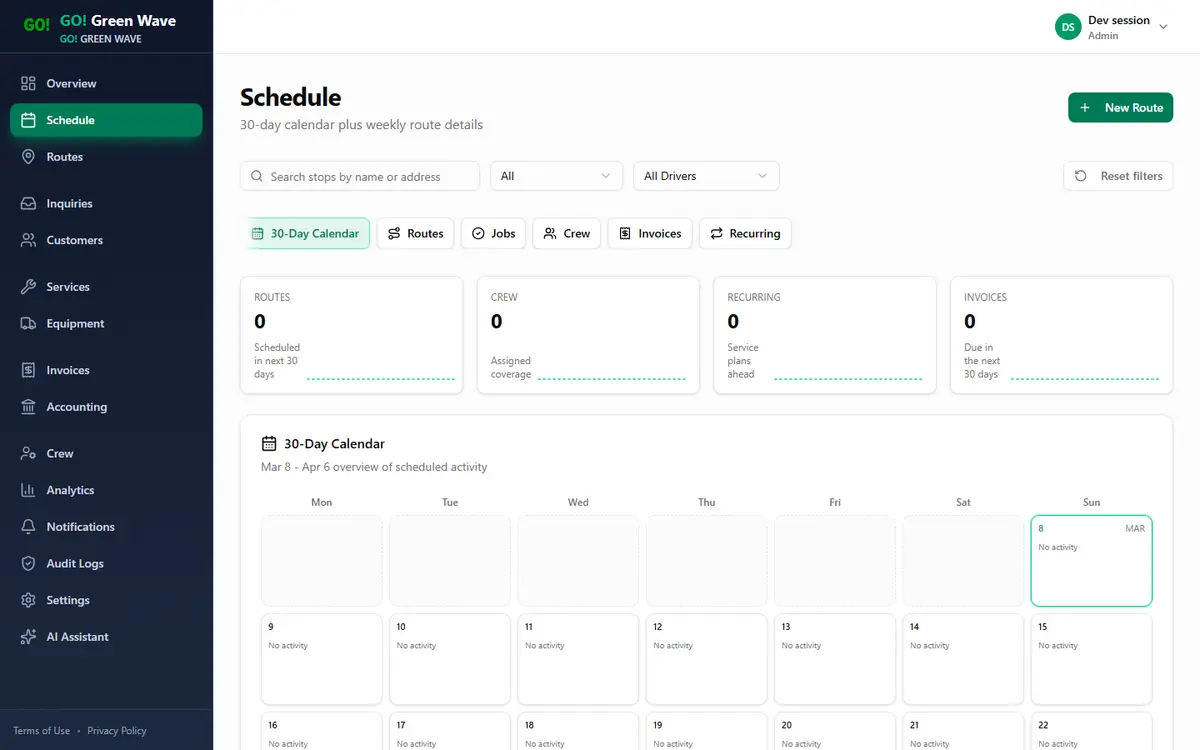
Live workspace · Schedule
01
Capture inquiries
02
Plan routes
03
Dispatch crews
04
Close billing
What gets easier when the day lives in one system.
Keep intake, crews, routes, and billing aligned.
Route-day visibility before crews leave
See schedule load, route sequencing, and service mix in one place.
Inquiry-to-customer handoff without rework
Move qualified demand into customer setup without rebuilding records.
Dispatch and field teams stay aligned
Give office staff and crew leads the same route-day view.
Billing stays tied to completed work
Move from completed work into invoicing without losing context.
Performance reads from one KPI layer
Review route output and revenue in one reporting view.
Controls hold up as the team grows
Keep access, auditability, and customer context connected as you grow.
See the workflow before you commit.
See the key inquiry, schedule, route, invoice, analytics, and dashboard views in one flow.
Follow the screens that turn new demand into routed, invoiced work.
See real application screenshots before you review the chapter-by-chapter workflow proof below.
Product demo
Real screens, real workflow proof.
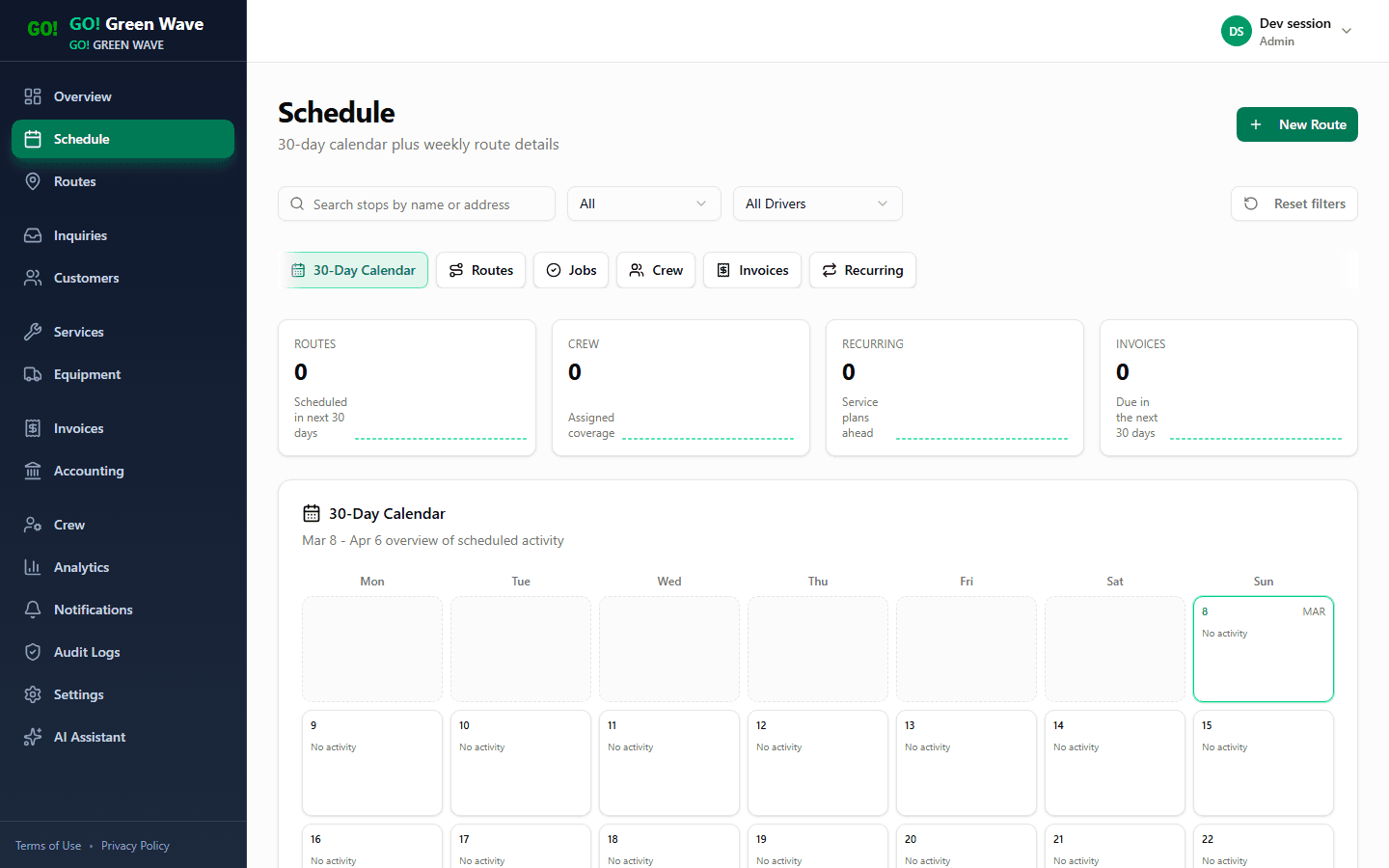
Schedule board
Plan jobs, route days, and handoffs without spreadsheet drift.
Used by Owner, Dispatcher.
Answers: Is the day staffed, sequenced, and invoice-ready before crews leave?
Route execution view
Keep route status, stops, and coverage visible for office and field teams.
Used by Crew lead, Dispatcher.
Answers: Which stops, crews, or timing risks need attention right now?
Inquiry intake
Capture inbound demand and convert qualified requests into customer records.
Used by Office admin.
Answers: Which new requests are qualified and ready to become customers?
Inspect each workflow without losing the full operating picture.
Schedule, routes, inquiry intake, billing, analytics, and the daily dashboard stay grouped with the screen, team role, and operating question each view answers.
Schedule board
Plan jobs, route days, and handoffs without spreadsheet drift.
Stage
Plan the week
Used by
Owner, Dispatcher
Answers
Is the day staffed, sequenced, and invoice-ready before crews leave?
Why buyers care
Office teams can see crew load, route-day sequencing, and billing readiness before the day starts slipping.
What this proves
Pick the plan that matches your rollout stage.
Start with the right fit now and expand as routes and crews grow.
Standard Subscription
$200/mo1-3 active crews
Owner-operator teams launching one market
Deluxe Subscription
$350/mo4-10 active crews
Growing teams running multiple active crews
Enterprise
$1,250/mo10+ active crews or custom operations
Multi-location operators or teams needing guided rollout support
Answers to common rollout questions.
Straight answers on timing, mobile use, permissions, and migration.
How long does setup usually take?
Most teams can get core scheduling, routes, and customer records live quickly.
Can we manage route planning and execution in one place?
Yes. The platform keeps planning, assignment, and route visibility connected for daily operations.
Does the platform support invoicing and payment tracking?
Yes. Billing workflows include invoice generation and payment-state tracking tied to operational records.
How are seats handled as crews grow?
Plans include crew-seat guidance and can scale during seasonal demand, with full pricing details available on the pricing page.
Is this usable on mobile for field teams?
Yes. Core routes and operations views are responsive so crews and office staff can work from the same data.
Can we import existing customer and service data?
Yes. Import/export workflows are available to support migration from existing systems.
How are permissions handled across roles?
Role-based access controls support owner/admin, office, crew, and ops workflows.
What support do we get during rollout?
Rollout planning covers workflow mapping, sequencing, and next steps.
What happens after we request a rollout plan?
We review your workflow and recommend the right plan and rollout sequence.
Get your rollout plan
Share your team structure and goals. We will reply with a rollout sequence, plan recommendation, and next steps.
- 15-minute workflow alignment conversation
- Suggested rollout order for inquiries, routes, and billing
- Clear next-step recommendation for your team size
Get your rollout plan
Loading the request form.
Ready to replace fragmented tools with one operating system?
Book a rollout plan to map your first implementation sprint, or open pricing if you already know your buying path.